Roles and permissions: who sees what in the reception panel
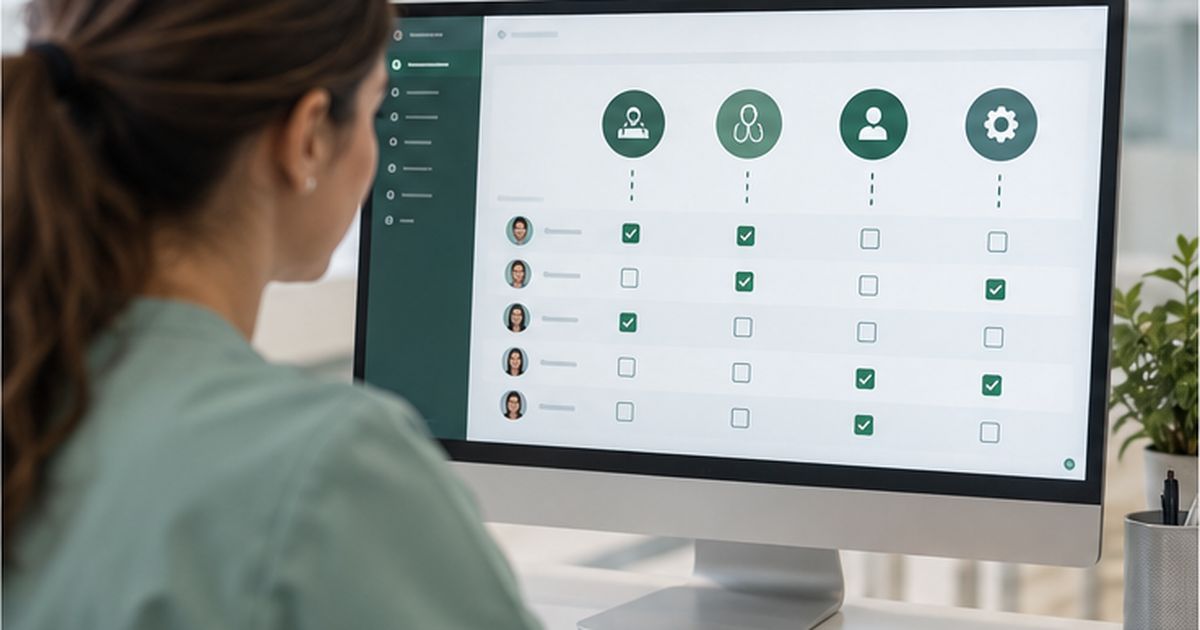
Taking a clinic’s reception digital has a consequence that is easy to miss: more and more information stops being spread across phone calls, paper diaries, personal mobiles and separate conversations, and ends up in one place.
That brings enormous advantages. The team works with more context, fewer things go wrong, and it is far easier to know what is happening at any moment. But it also brings a new responsibility: not everyone at a clinic needs to see everything about every patient.
That is where roles, permissions and traceability come in. In Wazzy, the reception panel is built to bring the daily running of the clinic together, while the medical CRM extends it when clinical information also has to be handled. The point is being able to decide who reaches what.
Least privilege
A good permissions system starts from a simple idea: each user should have the access they need to do their job properly, and no more than that.
It is not about distrusting the team. It is about reducing risk.
Take a dental clinic. Somebody on reception may need to see that a patient has an appointment on Thursday at 17:00, move it, read the conversation where they asked to change it, and check their phone number. They may not need to read the clinical notes the dentist wrote.
The practitioner, on the other hand, may well need the clinical history and the documents tied to the treatment. Both people work with the same patient, but they do different jobs. So their access can be different too.
The reception panel and the medical CRM are not the same
That separation matters inside Wazzy.
The reception panel is built around the daily work: conversations, patients, appointments, the schedule, practitioners and the work of reception. The patient’s everyday record holds their contact details and their appointment history, among other things.
When the clinic needs to add strictly clinical information, Wazzy has a separate add-on: the medical CRM. That is where clinical notes, practitioner notes, documents, images, x-rays and consent live.
That separation has an important consequence for security: having access to the reception workspace does not automatically mean having access to all the clinical information.
Tiered permissions in Wazzy
Wazzy lets you use tiers of permissions to control what information and what features each user can reach. That means the system fits the way each clinic is actually organised, instead of assuming they all work the same.
A small clinic may have several jobs concentrated in a few people. Another may have management, reception, coordination, hygienists, physiotherapists, dentists, doctors and others. What each of them needs to reach can differ.
Wazzy lets you keep the clinical history to specifically authorised roles, for example. What matters is not so much what the role is called as which permissions it carries.
What does reception need to see?
The reception team works mostly with everyday information. It needs to know who the patient is, how to reach them, what appointments they have, what they said to the clinic, and what needs doing.
It may also need to step into a conversation the AI assistant handed over because it needs a person. The inbox in the reception panel brings the WhatsApp conversations together and flags the ones that need the team, keeping the context of what came before.
That avoids one of the biggest problems of working from a shared phone: one person starting something and another having to guess afterwards what happened. The information stops depending on whoever was on shift remembering it.
And the clinical team?
Clinical information needs handling differently. When a clinic uses the medical CRM, it can store things that are not needed simply to handle an appointment: clinical notes, documents, images, x-rays or follow-up records.
Wazzy lets access to that depend on the permissions a user has. So a clinic can keep the clinical history to certain authorised roles instead of showing it automatically to everyone.
The aim is to stop particularly sensitive information being visible where it does not need to be.
Permissions do not mean cutting people off
Limiting access does not mean reception and the clinical team have to work in completely separate applications. In fact, one of the points of Wazzy is keeping things joined up.
A practitioner can see what relates to a patient’s appointments without all the clinical information being available to whoever only handles the schedule. It can be one place with different depths.
That is especially useful when a patient passes through different moments with the clinic. First they write on WhatsApp. Then they book. Later they see a practitioner. And weeks after that they get in touch with reception again to move something else.
The information should be joined up, but the access can stay controlled.
Traceability: knowing who did what
Permissions control who is allowed to do something. Traceability tells you who actually did it. The two go together.
In Wazzy, when a conversation goes through the inbox, it records which member of the team handled it. That stays attached to the activity even after the conversation is closed. Actions taken on the platform are tied to the person who took them.
That matters especially in a clinic with several shifts. Suppose a patient says they wrote in to move an appointment. Without a trail it can be hard to reconstruct what happened. When the exchanges are recorded, the team can look at the context and see the sequence.
Traceability should not be used to watch over staff
There is an important difference between recording actions for security and using a tool to keep permanent watch over people.
The point of traceability should be protecting how the clinic runs, providing context, sorting out incidents, and keeping responsibilities clear. In systems handling sensitive data, being able to see who reached what, or did what, is part of a more grown-up security architecture.
What matters is that the clinic sets clear internal policies about using the tool, and tells the team what they are.
Why permissions matter for the GDPR
The GDPR requires technical and organisational measures appropriate to the risk, and requires confidentiality. It also says that anyone acting under the authority of the controller or processor, with access to personal data, must handle it on instructions.
From that angle, controlling access is not a convenience. It is a security measure.
The fewer people with unnecessary access to sensitive information, the smaller the surface of risk. That matters most in healthcare, where the same application can hold anything from contact details to information about somebody’s health.
When somebody changes job or leaves
Permissions also have to be reviewed over time. Somebody who has left the clinic should not still have access. Somebody who changes job may need different permissions. And a practitioner covering a responsibility for a while may need access only for that period.
Security does not end when the account is created. Managing the life of those accounts is part of a good internal policy.
Reviewing them regularly turns up old accounts, permissions that are too broad, and users who no longer need to see certain things. In clinics with turnover or several sites, that review matters even more.
Not all data is equally sensitive
Another important point is not treating all information as though it carried the same risk.
Opening hours are not as sensitive as an x-ray. An appointment can reveal something personal. A conversation can contain health data. And a clinical note can hold particularly delicate details.
The permissions should reflect that. Which is exactly why Wazzy keeps the everyday work of the reception panel apart from the clinical information in the medical CRM.
Less access also means fewer mistakes
Permissions do not only protect confidentiality. They also cut down on mistakes.
If somebody does not need to change certain settings, stopping them doing it by accident reduces the risk of something being changed unintentionally. On a platform handling conversations and a schedule, that is worth a lot.
Security and usability do not have to pull against each other. A user can have a simpler screen precisely because they only see the things they need for their job.
How to think about permissions in a clinic
Before setting users up, a clinic should think about responsibilities first and job titles second.
Who answers the conversations that get handed over? Who can change appointments? Who manages practitioners and rooms? Who needs to see clinical information? Who should be able to change it? Who only needs to look?
Answering those gives you a far more coherent structure than giving everyone full access by default.
It is also worth going back over that structure when the clinic takes on new people, changes how it works, or switches on new features. Permissions should follow how the clinic actually runs, not stay frozen from the day it was installed.
Control without getting in the way
A permissions system that is too rigid gets in the way too. If reception has to ask for approval every time it wants to move an appointment, the tool stops being useful.
The trick is protecting what is genuinely sensitive without adding friction to the everyday. Wazzy starts from that separation between reception and clinical work, so each side works with what it needs.
The point is not to put up barriers. It is to get the right information in front of the right person at the right moment, and keep everything else protected.
Sources and references
- Regulation (EU) 2016/679 (GDPR), particularly article 32 and the principles of confidentiality and minimisation.
- Wazzy: the reception panel, the medical CRM, and public documentation on permissions and traceability.